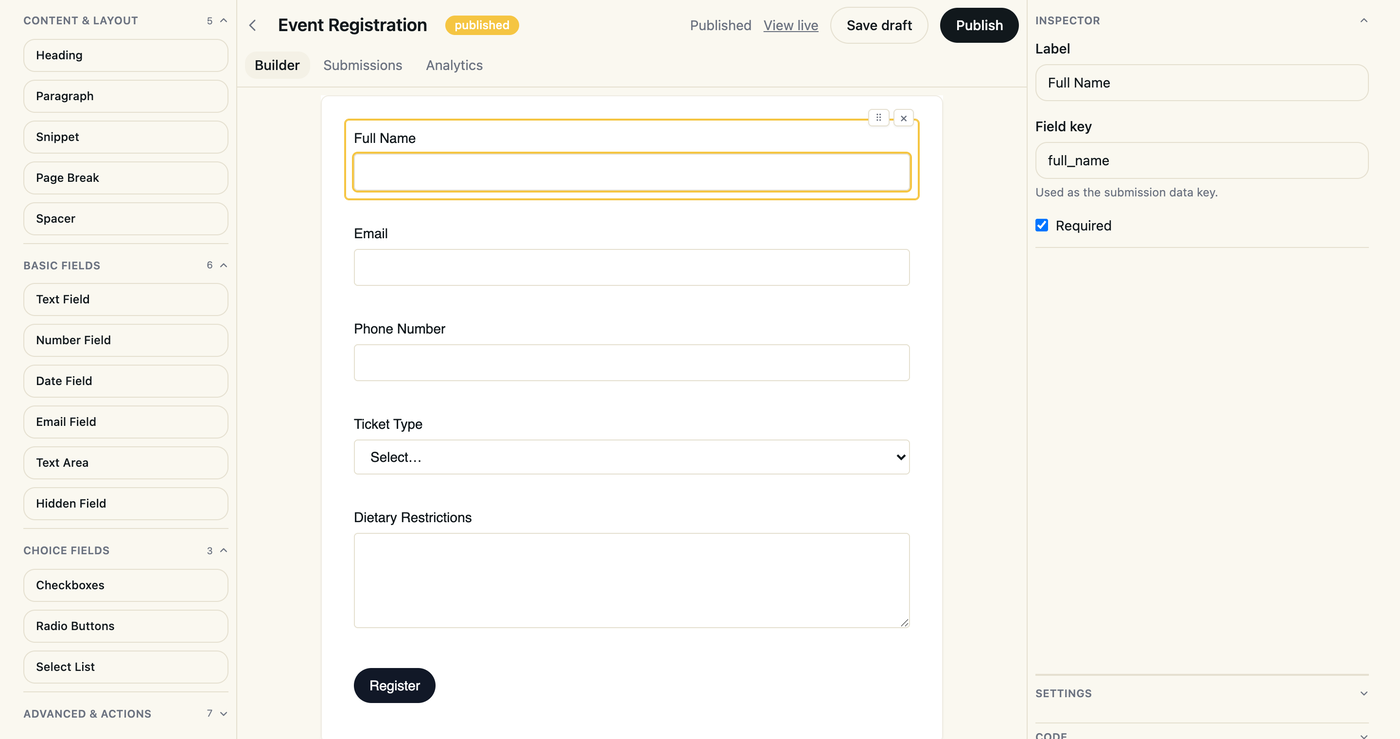
Visual builder
Drag-and-drop fields, logic, and layout — no boilerplate to wire up by hand. Anyone on the team can build forms, not just the engineers.
Forms that ship
Hoot Forms is a visual, code-synced form builder your whole team actually enjoys using. Build forms visually, keep them in sync with code, and start shipping them with publishing, tracking, payments, and webhooks built in.
Everything included
Most teams stitch together a form tool, a payment page, and a spreadsheet of submissions. Hoot Forms puts building, publishing, payments, and tracking in one place, so shipping a new form takes minutes instead of a sprint.
Drag-and-drop fields, logic, and layout — no boilerplate to wire up by hand. Anyone on the team can build forms, not just the engineers.
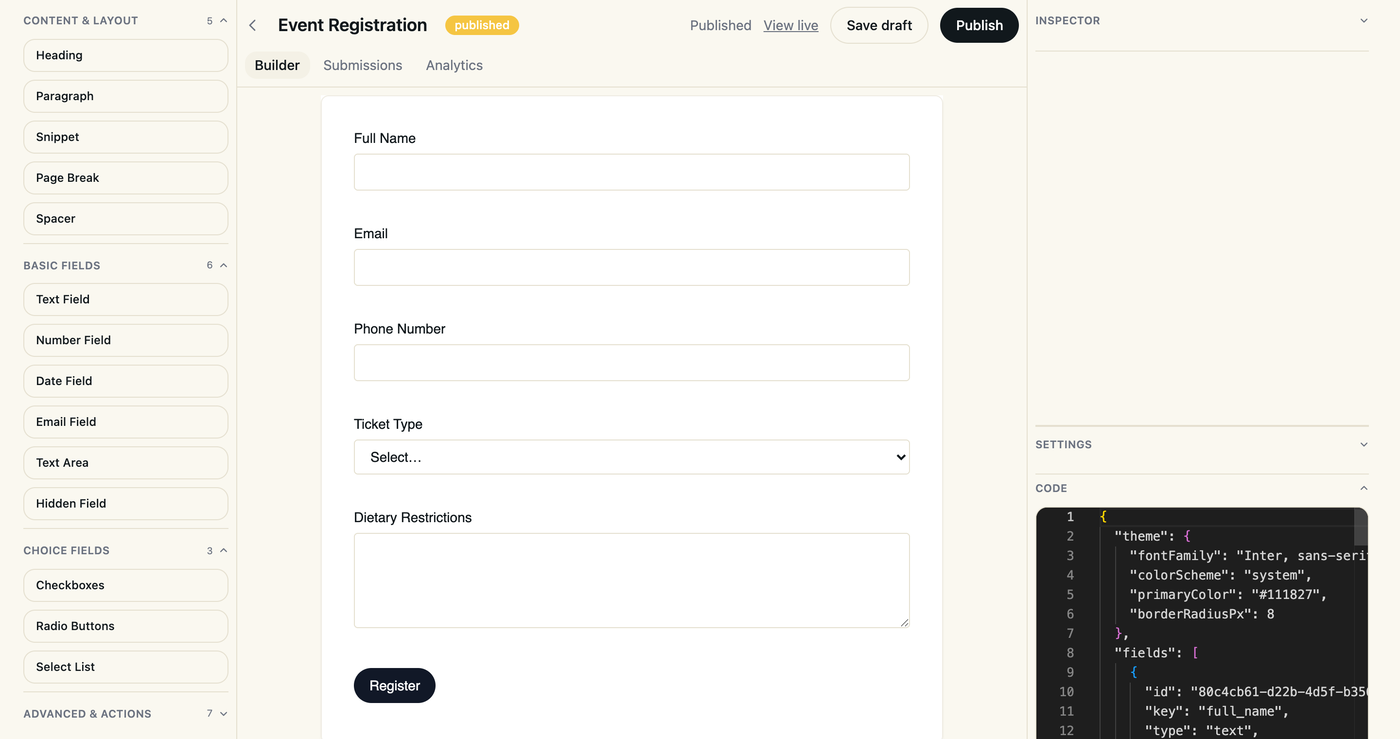
Every visual change stays in sync with a code representation your team can review and version. Designers and developers edit the same form without stepping on each other.
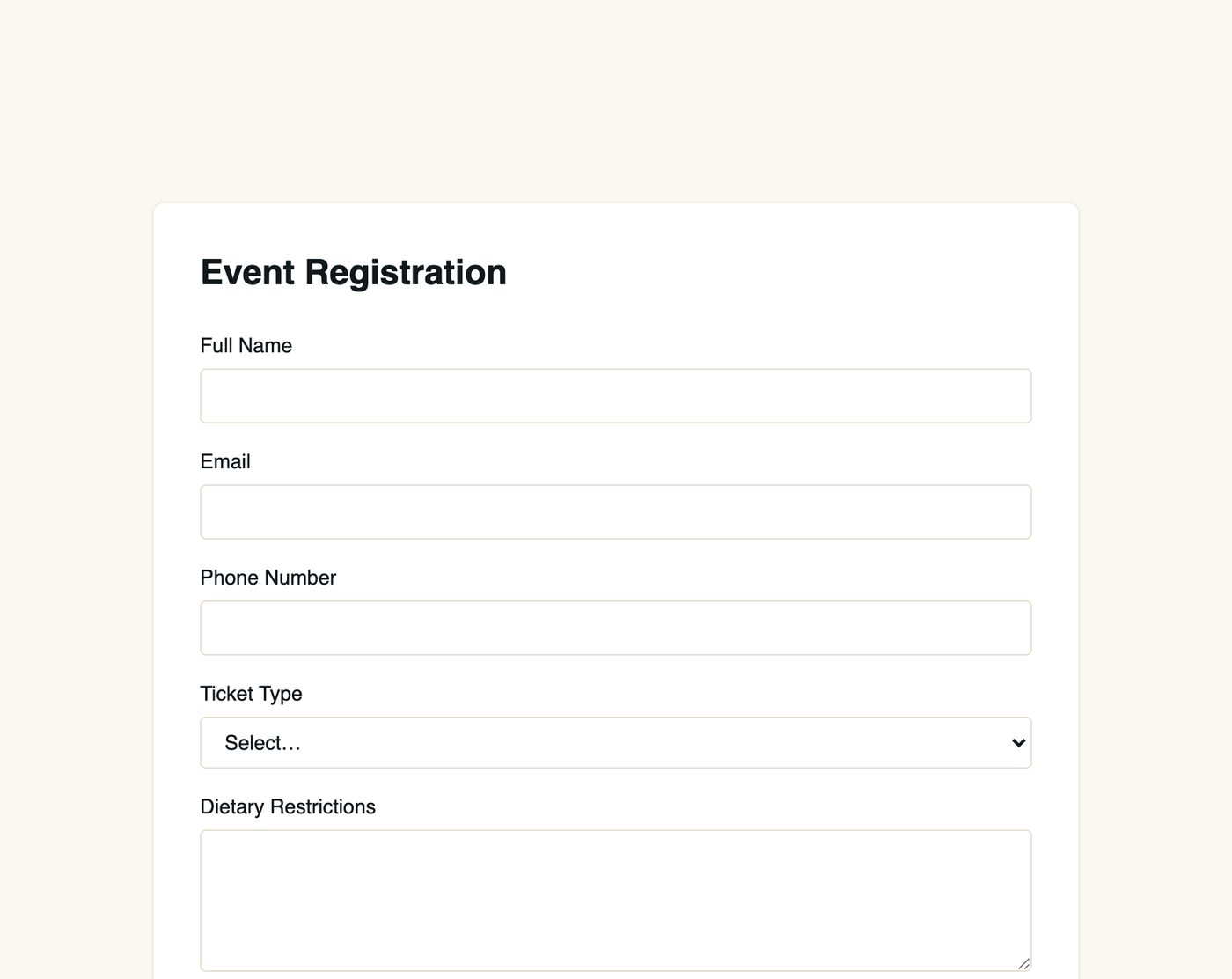
Ship a form to a live URL or embed it, with drafts and versioning built in. Preview changes first, then publish when you are ready.
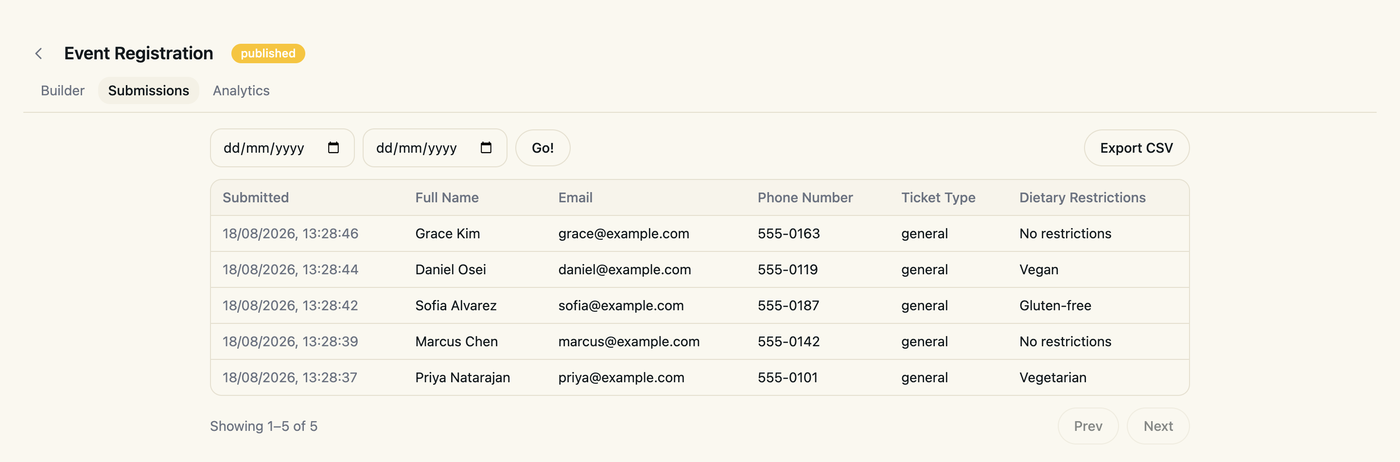
See submissions, funnels, and drop-off as they happen, not after the fact. Find the question that loses people and fix it the same day.
Collect payment on submission through a first-class plugin, not a workaround. Stripe and PayPal are supported out of the box.
Push every submission wherever your stack needs it, in real time. Connect your CRM, database, or internal tools without writing glue code.
The builder
Try the same controls the builder gives you. These are small demos; nothing you type here is sent anywhere.
Start from a preset, then tune the colour and corner radius — or drop in custom CSS for full control. Pick one to restyle the form on the right.
Book a demo
Group fields into steps with a progress indicator, back navigation and saved progress. Pick from 20 indicator styles — bars, tabs, dots, timelines and more.
Required fields, length and number limits, patterns, email checks and conditional logic — with error wording you can rewrite. Try breaking the rules on the right.
Choose a style, write your own message, or send people to another page after a short countdown.
The builder shows your form on a desktop or phone-sized screen right where you edit it. This is a real form from the app, rendered exactly as your visitors would see it.
This preview loads a live form from app.hootforms.com.
Live demos
Open any of these and fill it in like a visitor would. Demo answers are checked and then thrown away — nothing is stored.
Two steps with a progress bar, inline checks and a confetti thank-you, in the Ocean theme.
A clean single-page form in the Minimal theme with friendly inline validation.
Three tabbed steps with URL, number-range and length rules, in the Corporate theme.
An NPS score and open comments in the bold Neon theme.
A gradient progress bar, and a field that only appears when you choose “Other”.
Start from a template or a blank form, pick a theme, add steps and rules, then publish — all from the same builder.
Create your first formHow it works
Add fields, logic, and styling visually, or drop into code when you need precision. Start from a template or a blank canvas.
Turn on payments, webhooks, or notifications with a plugin, not a custom integration. Each plugin is configured per form in a few clicks.
Ship to a hosted URL or embed on your own site, with drafts you can preview first. Updates go live without touching your website code.
Track submissions and drop-off live, and iterate without redeploying. Every response is stored and ready to export as CSV.
Use cases
Every one of these runs on the same builder and plugins covered in the features above, so the form you ship for one team works the same way for the next.
Collect attendee details and ticket payments in one form with Stripe or PayPal, so every registration arrives already paid. Watch sign-ups come in live and export the guest list as a CSV when the doors open.
Publish a qualification form at its own link, keep bots out with reCAPTCHA, and send every new lead straight to your CRM with a webhook. No copy-pasting between tools, no leads lost in an inbox.
Replace scattered emails and spreadsheets with one intake form per process, from IT tickets to purchase approvals. Start from a template, adjust the fields visually, and keep every request in one place.
Take applications with file uploads limited to the formats you want, like PDF résumés. Every candidate lands in one list your hiring team can review, and the whole batch exports as a CSV.
Run surveys and feedback forms and see completion rates and drop-off as responses arrive. Spot the question people abandon, fix it, and publish the update without redeploying anything.
Take orders, bookings, or deposits for your services with a form that charges on submit. No separate checkout page to build: the customer details and the payment arrive as one record.
Pricing
Every plan includes the full builder. Upgrade for more forms and submissions, and add plugins like payments only when you need them.
Free
Get started with the basics
Free
Starter
For individuals and small teams
$4.49/mo
Pro
For growing teams that need more
$9.89/mo
Enterprise
Custom limits, SSO, and dedicated support
Contact us
Tell us about your team
A few details and we'll get you set up on Enterprise.
FAQ
Short answers about plans, plugins, and working as a team. For the full picture, compare the plans or see what teams build with Hoot Forms.
Yes. The Free plan includes the full builder with up to 3 forms, up to 100 submissions per form, and 30 days of analytics history. No credit card is required, and you can upgrade whenever your team needs more forms, more submissions, or longer analytics history.
Every form you build in the visual editor also has a code representation that stays in sync with it. Your team can review and version form changes like any other code, and move between visual and code editing without losing work.
Yes, on any plan, including Free. The Stripe and PayPal plugins are paid add-ons that collect payment as part of the submission, so the response and the payment arrive together instead of living in two separate tools.
Turn on the webhooks plugin, free on every plan, and every new submission is sent to the URL you choose in real time, ready for your CRM, database, or automation tool. You can also export all responses for a form as a CSV file at any time.
Add the reCAPTCHA plugin, a paid add-on available on every plan, and turn it on for any form to filter out bots before their submissions reach your webhooks or your reports.
Yes. Forms live in an organization you invite your team into, with owner, admin, editor, and viewer roles, so people can build forms, review results, or just follow along without stepping on each other.
Hoot Forms shows submissions, completion rates, and where people drop off, as it happens. How far back the history goes depends on your plan, and higher plans keep it longer.
Free to start, no credit card required. Still deciding? Read the FAQ.
Create your first form